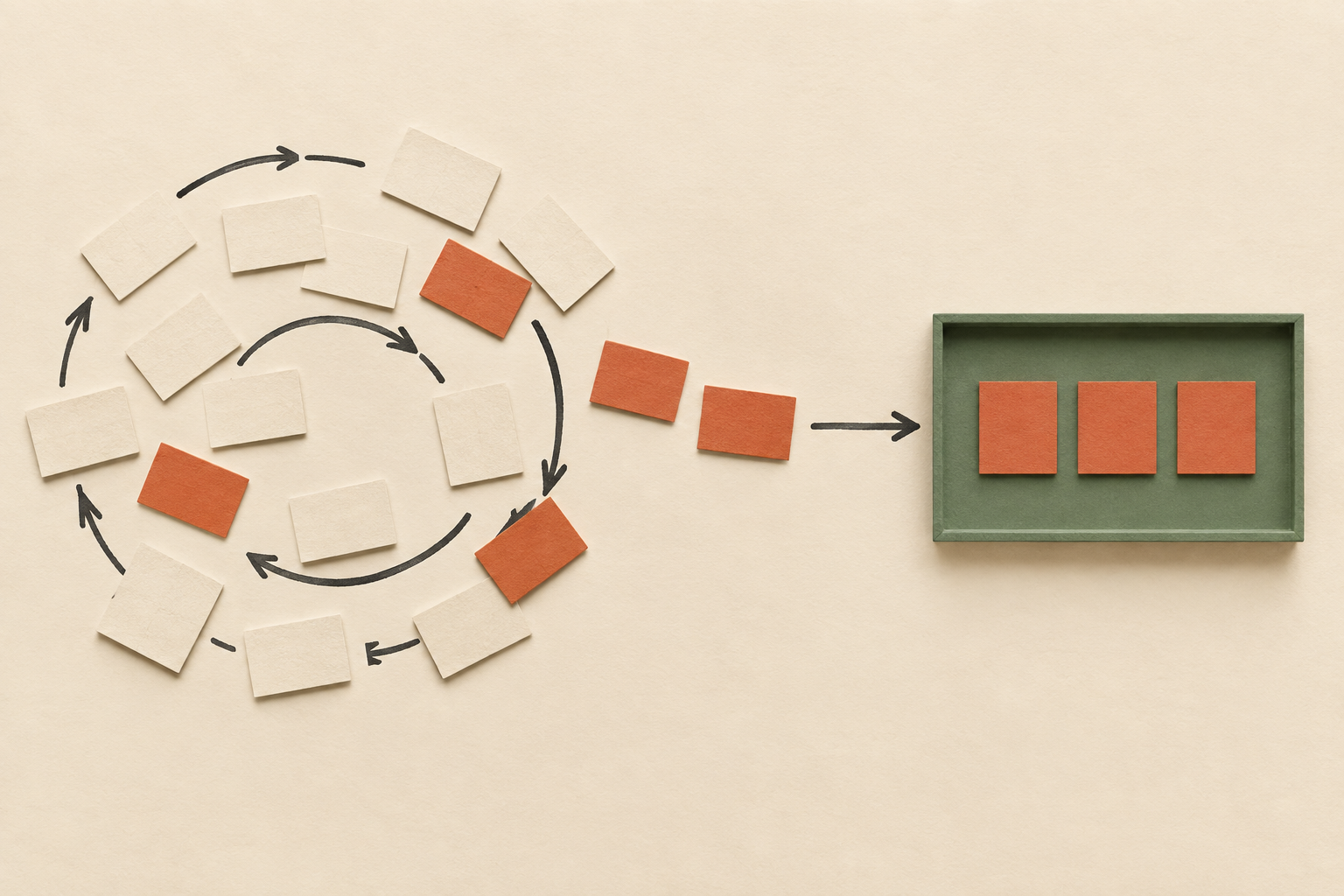
The short answer: give the model the data, and make rendering a separate step
Say you run an MCP server and want your results to show up in Claude or ChatGPT as a real interface instead of plain text. How do you keep the model able to see those results, reason about them and keep searching, instead of showing one carousel and stopping? A few terms first. MCP, the Model Context Protocol, is a way for AI chat clients to call external tools. An MCP server is the service that offers those tools. MCP Apps, and OpenAI's Apps SDK for ChatGPT, let a tool return an interactive interface, called a widget, that appears inside the conversation.
Dustin Mihalik of Indeed answers with three rules. First, anything the user sees in the widget should also reach the model as data. Second, anything the user does in the widget should be reported back to the model. Third, fetching data and drawing the interface should be handled by separate tools, so the model can search as many times as the task needs and choose what to show only at the end. He says the third rule overrides the other two. It is also the only one aimed at the model giving up after a single search.
He gave the talk at an AI Engineer session, and the recording was posted on the AI Engineer YouTube channel. The recording doesn't say when the session took place.
Where the lessons come from
Mihalik says he works on Indeed's job search and also on an AI platform team that handles guardrails, gateways and compliance. He says that team has existing relationships with the AI vendors, and that is how it ended up building MCP connectors and MCP apps.
According to him, Indeed has built MCP servers and apps for Claude, for ChatGPT, and for Career Scout, which he describes as Indeed's own agent for job seekers. He doesn't discuss launch dates or availability. He presents the session as "lessons from the trenches" and not an introduction, and says an earlier introduction had already covered the basics of MCP apps.
Why a job site wants UI inside the chat at all
He starts with a plain-text answer in Claude to a search for barista jobs in Austin. He says the answer is useful: Claude groups jobs in the city and in nearby suburbs. But nothing marks the results as coming from Indeed, and the publisher has little say over what appears.
Links are a bigger problem. Mihalik says it is hard to get Claude or ChatGPT to link out consistently. He guesses the reason is that the platforms would rather users stay inside the chat, though that is his guess, not something he shows. A list of jobs with no links is a poor experience, he says. His team spent what he calls a ridiculous number of hours and evals (automated test runs of model behavior) before Claude linked reliably. He gave no figures.
A widget changes this, in his account. Indeed can put an apply button on each result and choose which fields appear at the top. It can also add a "view details" control that opens a pop-up window, or modal, with the full job posting, so the user never leaves the chat. He calls it a win-win for Indeed and for the chat platform. He showed the widget on screen; this description follows what he said about it.
The naive port: your widget becomes a black box to the model
The tempting shortcut is to treat an MCP app as a way to drop your website into the chat. The widget loads some HTML, the HTML calls the APIs your site already uses, and you're done. Mihalik says it isn't that easy, and he has seen MCP apps built exactly this way.
The problem is what the model knows. The model calls the tool, the tool puts results on screen, and the model has no idea what those results are. Ordinary follow-ups such as "tell me about the first result" or "rank these companies" then fail. The data went straight from your API to the widget and never passed through the model.
Rule one: whatever the user sees, the model gets as data
His first rule is that every piece of information shown in the interface must also be given to the model as data.
As he describes the MCP and MCP Apps specs, a tool response carries two things. The first is structured content: the machine-readable result the model reads, which is what a text-only MCP tool would already return. The second is a resource URI, a pointer the chat client uses to load the widget's HTML. You return both, and he says you have to keep them in sync. If the API behind the widget gains a new field, such as a salary range, the structured content the model reads should gain the same field. Otherwise the user can see something the model can't talk about.
Stopping the model from reprinting what the widget already shows
Rule one has a side effect. Once the model has the data, it does what it would do with any tool output and writes the whole result list out as text, directly below the widget that already shows it. The user sees everything twice.
His fix is a line at the top of the tool description, the text the model reads to decide how to use a tool. The line says the results were automatically shown to the user as UI components. With it, he says, the model writes a short summary and leaves the listing to the widget. He describes a bit of a battle between what the interface shows and what the model writes, and says this single line "covers quite a bit of the cases".
Rule two: tell the model what the user clicked
The widget can hide information in another way. Suppose a search returns ten jobs and the user opens the details of one. The model doesn't know which one. A request like "write a cover letter for this job" or "summarize this job description" then fails, because the full posting was loaded into the widget and never shown to the model.
Mihalik's rule is that information about what the user does in the widget must also be sent to the model. He never says "rule two" aloud, but it comes second in his sequence, and he later calls the data/render split rule three.
He says MCP Apps provides a method for this, which he calls update model context. According to him it takes a single string, so if you want to report several events over time you have to append them to that one string. He points to what he describes as a shopping-cart example in the MCP Apps documentation. That app passes the cart's items and total cost to the model, so the user can ask questions about their cart.
The turning point: a UI tool cuts short multi-step search
With rules one and two in place, the model can roughly see what's happening. Mihalik says the app still isn't good, because people don't bring Claude easy problems. If he only wanted one search, he says, he would go to the website. He brings Claude the hard ones.
His example is a user who is open to relocating. They want one job title searched across many cities, the best-paying options picked out, and certain industries excluded. With a plain-text MCP search tool, he says, Claude handles this well. It runs something like 10 or 15 searches, filters them, pulls out the relevant details and ends with a summary table. The count is a loose example, not a benchmark.
Now make that search tool also render a widget, with a description saying the results are displayed to the user. Mihalik says Claude calls it once and stops, apparently concluding that the results are already on screen and there's no need to dig further. He adds a practical reason: nobody wants ten carousels in a row, and Claude seems to notice it has already displayed something. So the UI that was supposed to improve the experience cuts short the multi-step work users wanted. He reports this for Claude specifically, as his team's observation.
Rule three: separate data processing from UI rendering
Mihalik's third rule is to separate data processing from UI rendering, and he says it overrides the other two. He says he took the wording from OpenAI's Apps SDK documentation, which he says states it in a couple of places.
Indeed's version works like this. The tool he calls search jobs becomes a standard text-only MCP tool with no interface, and Claude can call it as often as it wants. A separate render-jobs widget takes a list of job IDs. Claude can search, collect about a hundred candidate jobs, filter them down to five, and pass only those five IDs to the render tool. The user then sees one widget holding the model's shortlist. The hundred-to-five figure is his illustration.
He says a render tool can receive either the full data the model wants shown or references to it. Indeed chose references, meaning IDs. Either way, the render tool's description has to explain where the data comes from and what format it must be in, and say that one of the data tools must be called first to get it. He calls this a fairly easy change to the tool descriptions.
| One tool that searches and renders | Text search tool + separate render tool | |
|---|---|---|
| How often the model searches | Once, in his account. It treats the displayed results as the finished answer | As often as the task needs. He describes 10–15 searches for a multi-city request |
| What the model can see | The returned data, if rule one is followed | Every search result as data, before anything is shown |
| What the user sees | A widget built from a single query | One widget with the shortlist the model chose (his example: about 100 candidates narrowed to five) |
| What the render step receives | Whatever the single query returned | A list of job IDs picked by the model |
The same split in other domains, and render tools that carry the model's reasoning
Mihalik says most industries can find a similar split: let the model explore the data, then have it choose what to render. He mentions e-commerce product results, and a map widget that receives five addresses the model has picked.
He then suggests render tools can take more than IDs. In text-only answers, he notes, models often explain why they picked each result. A render tool could accept an ID plus a short reason the job fits, or an ID plus a highlighted passage from the job description. The model's reasoning would then appear inside the widget instead of in separate prose. He says Indeed could "potentially" add this, so these are design ideas, not features Indeed has shipped.
Design checklist for your own MCP app
Mihalik ends with two takeaways. The first is to work out the data before the interface. He admits this runs against the common view of MCP apps as a way to put UI into ChatGPT. Decide what data the model should have and what it should be able to do with it, and let rendering follow from the model exploring that data. The second is to build small, composable tools. His example is two or three search tools for different ways of finding jobs, plus one or two render tools, perhaps one for a list of jobs and one that highlights a single job. Each gets a simple description, so the model isn't overloaded but can still choose how to explore and what to show.
Together, his advice adds up to a short checklist for builders.
- Data parity: anything the widget shows should also come back to the model as structured data, and the two should stay in sync.
- Description steering: say in the tool description that results are already displayed, so the model summarizes them instead of repeating them.
- Interaction context: report clicks and selections inside the widget back to the model, so follow-up requests make sense.
- Data/render split: make search a text-only tool the model can call many times, and render only the final picks through a separate tool whose description says which data tool must be called first.
What's still unproven
This is one team's experience from a talk of about 15 minutes, with no metrics, no eval results, no before/after numbers and no Q&A. His claims about when Claude stops searching are observations of model behavior. They can change with newer models, and they may not hold in ChatGPT or other clients, which he didn't describe in the same way.
The spec terms, the update model context method and its single-string limit, and the documentation examples all come from his description. We haven't checked them against the MCP Apps or Apps SDK documentation, and we haven't built an app to reproduce the behavior. Confirm the exact field and method names in the current docs, and treat the checklist as a well-argued starting point to test on your own server, not a proven recipe.
Source
Also from
Sources and editorial approach
We read the full English auto-generated captions of the roughly 15-minute AI Engineer recording, from the self-introduction to the closing remarks. There is no Q&A. On-screen slides and screenshots weren't available and are described only through what the speaker said aloud. Garbled caption fragments were either resolved conservatively or left out. No official MCP, MCP Apps or OpenAI Apps SDK documentation was consulted, and no MCP app was built or tested for this piece.